Resources - Blog
What’s New in Babelway: Easier Troubleshooting, Better PDF Handling and Clearer Invoice Visibility
By Diego Mersch
November 02, 2026
Read time: 5 MINUTES
Reliable integrations depend on the small details: understanding why an API call failed, finding the right document sample, or reviewing an invoice without having to inspect raw XML.
The latest Babelway enhancements make those everyday tasks easier for integration, finance and operations teams. Here are five practical improvements and what they mean for your business.
Investigate failed HTTP calls with downloadable flow details
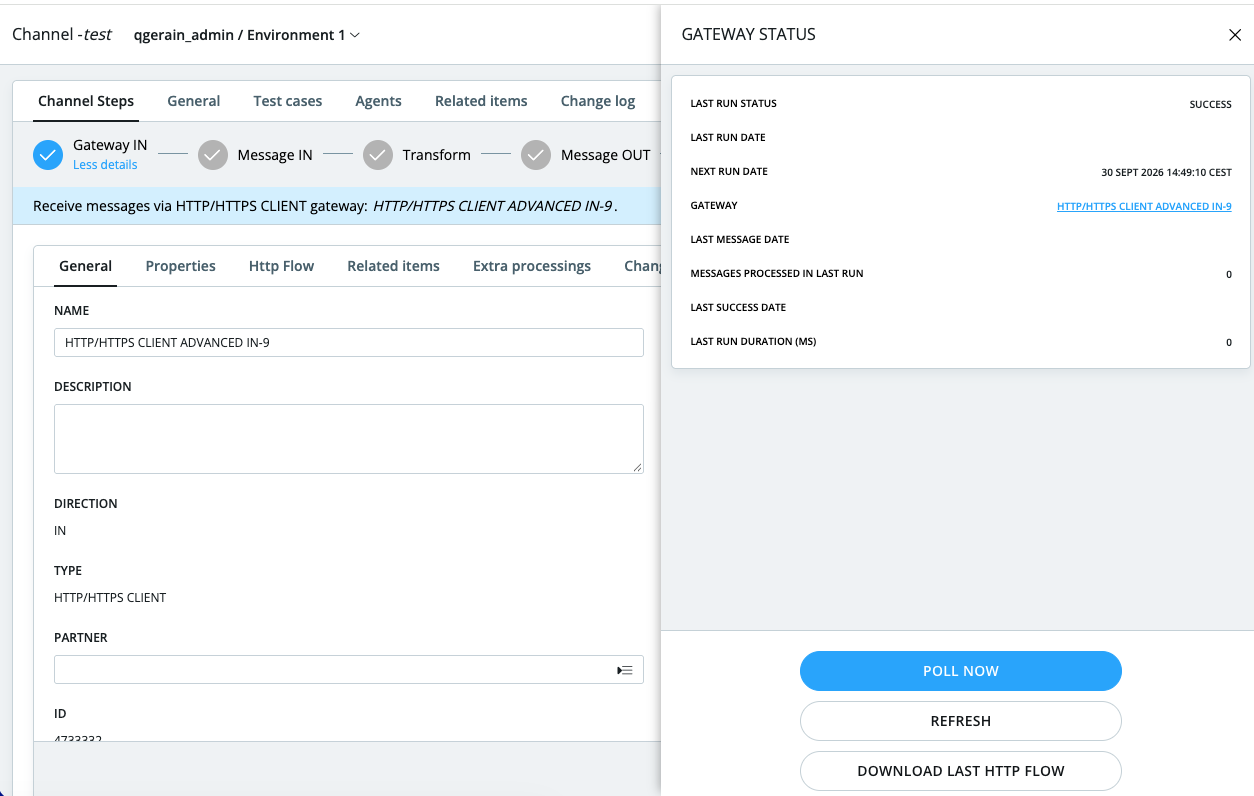
When an HTTP In Gateway call fails, finding the cause should not require guesswork. Babelway now lets users download the latest HTTP Flow.zip directly from Runtime Status, in much the same way they can download information for a regular message.
For integration teams, this provides a more accessible starting point for investigating where an HTTP flow failed and understanding what happened. Less time searching for context means faster troubleshooting.
Stop retrying when an HTTP error cannot resolve itself
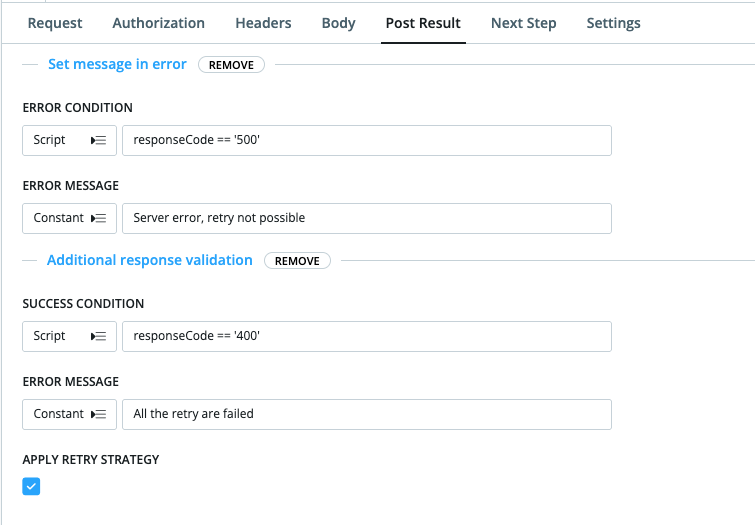
In an HTTP Client Gateway OUT Post Action, users can now force a message into an error state without applying the configured retry strategy when they already know subsequent attempts will fail.
That means teams can distinguish between temporary issues worth retrying and errors that require attention. The result is more intentional error handling and fewer unnecessary retry attempts.
Learn more about the HTTP Client Gateway OUT
Navigate multiple PDF samples more easily
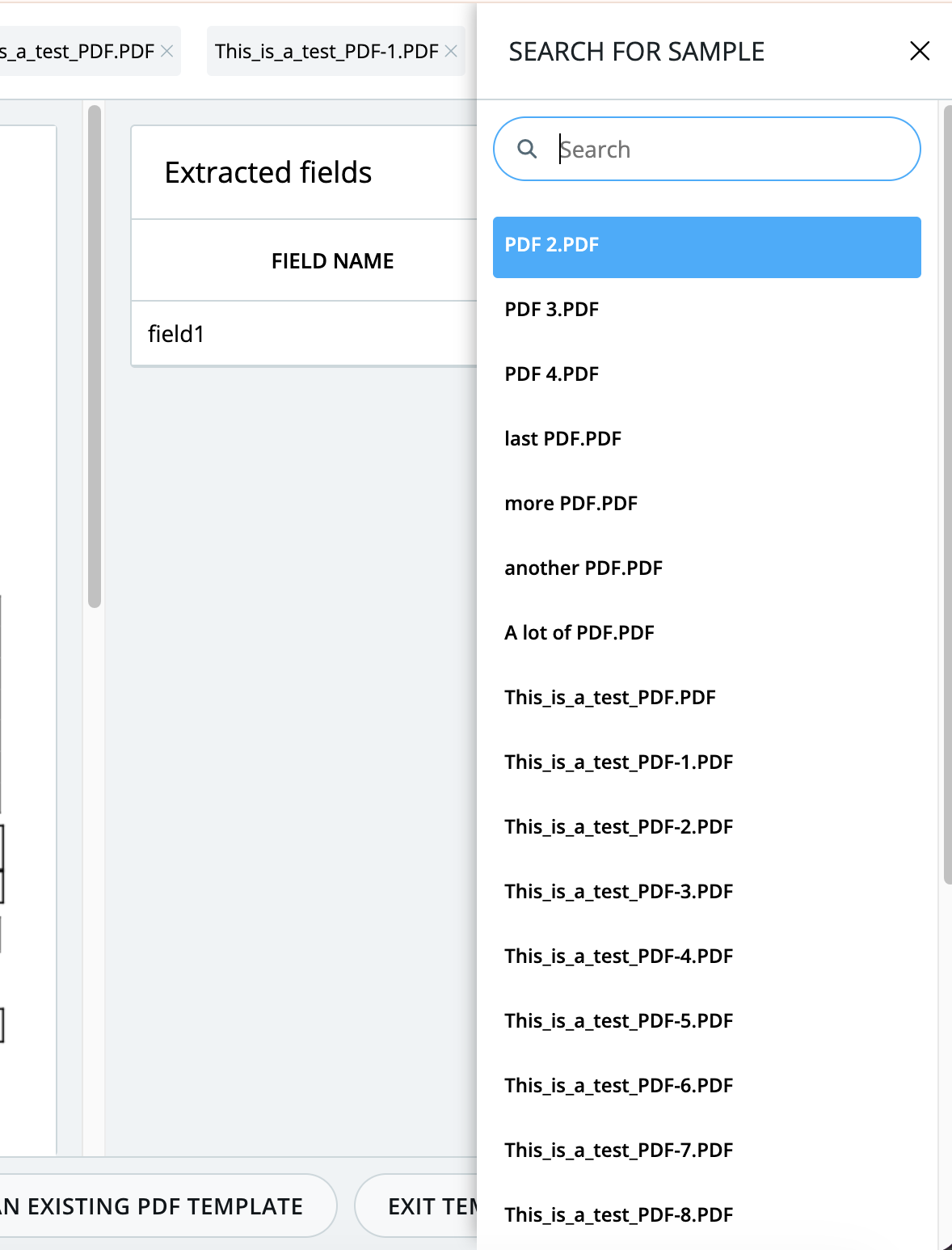
Working with several PDF files in a single PDF Message Definition In sample is now easier. Instead of displaying every filename inside a small scrolling area, the interface keeps the list compact and provides a button to open all filenames.
A search field in the expanded menu makes it quicker to find a particular PDF. It is a small interface change with a practical benefit for teams configuring and testing PDF document processing.
Filter document records in the Document Record Gateway IN
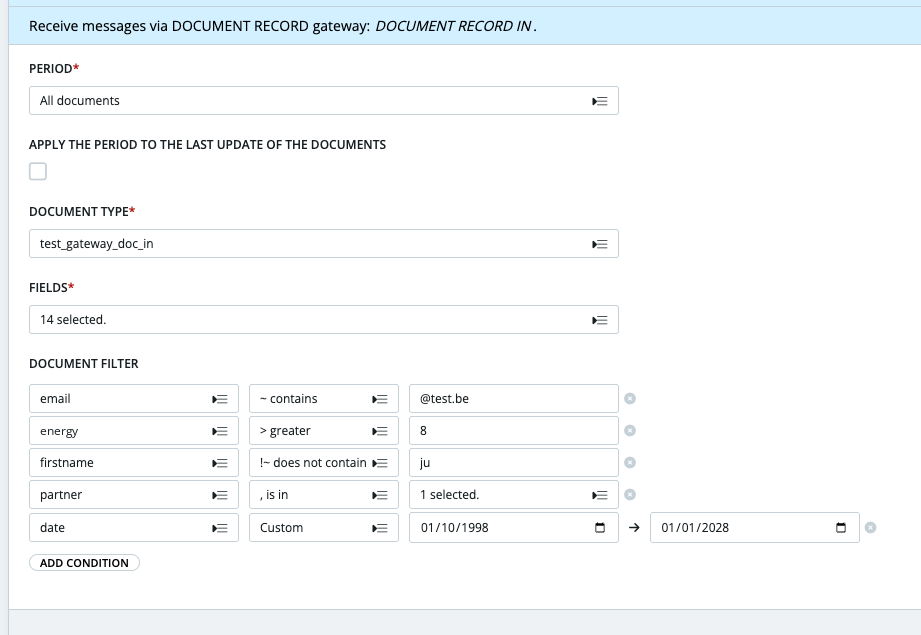
The Document Record Gateway IN now includes document filtering. This enhancement gives teams more control over which documents are selected when working with document records in Babelway.
For organizations managing different document types and business flows, the ability to narrow the selection helps keep the workflow focused on the relevant records.
Learn more about the Document Record Gateway IN
Download clearer PDF versions of French PA invoices
Invoices in Monitor > PA > E-invoicing In / Out can now be downloaded as PDFs, either from a dedicated PDF column or from the invoice detail panel. This makes it easier to review invoice content directly from the PA monitoring interface.
For Factur-X, the download preserves the supplier’s original PDF. For UBL and CII, Babelway generates a readable layout designed for the French reform: key fields appear first, while the remaining invoice data is included in an appendix rather than being silently omitted. Technical codes are also shown with readable descriptions.
The PDF follows the interface language (English or French), and CII invoices can now be viewed as PDFs instead of raw XML only. Where an invoice is known only through a status, the PDF icon is disabled.
Learn more about E-invoicing In
More clarity across everyday integration workflows
From HTTP diagnostics and smarter retry handling to easier PDF navigation and readable French PA invoices, these updates are designed to remove friction from the work teams do every day.
Want to explore how Babelway can simplify your EDI and e-invoicing operations? Visit the linked guides or contact the Babelway team to discuss your integration needs.
See more of this topic
About the author
